Thank you for your Wira purchase.

Here is what happens next.

Questions? WhatsApp Nia.

Human setup video
Press play · install → scan WhatsApp → test draft → approve rules38s
WhatsApp AI for owners and businesses

Text your agent. Your business moves.

Miles away, still in control: ask Wira what came in, trigger work on your computer, draft replies, and hand customers to the next step.
Remotecomputer
CustomerWhatsApp
Ownerapproval
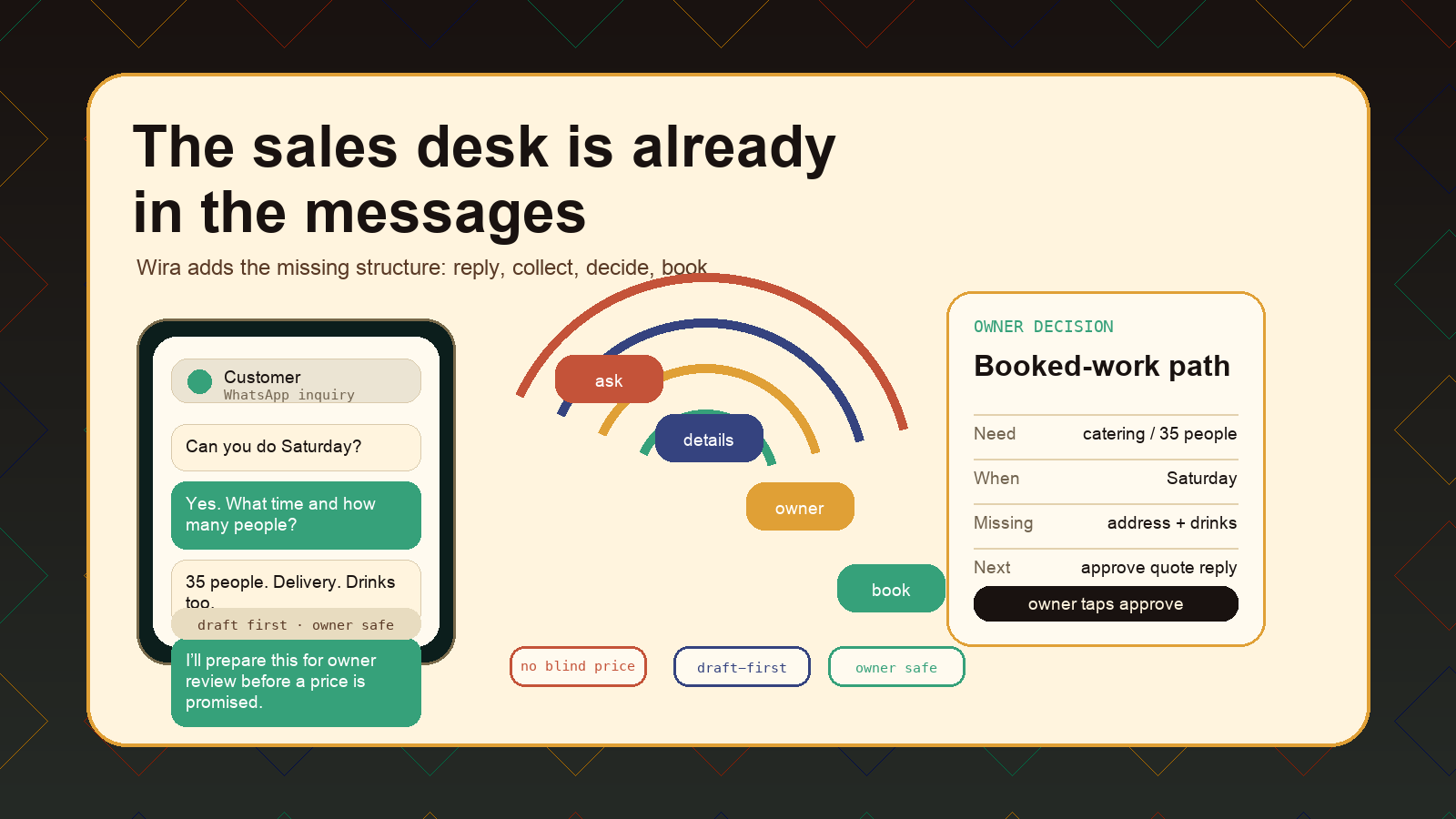
Authored Wira workflow board showing a WhatsApp inquiry becoming a structured owner decision
Authored workflow board: ask, details, owner decision, booked-work path.
The experience

Your WhatsApp becomes a command line for real life.

Ask from the airport. Ask from the couch. Ask while a customer is waiting. Wira sits between the message, the machine, and the business decision.

At home

Tell the local agent what to check, draft, summarize, or prepare on the machine you control.

owner tool

At work

Let customers start in WhatsApp while the business gets clean details and safe handoffs.

business desk
Use cases

For people who already run life and business in messages.

Catering, salons, rentals, mobile services, event vendors, and solo owners who need the computer at home or the business inbox to answer back.
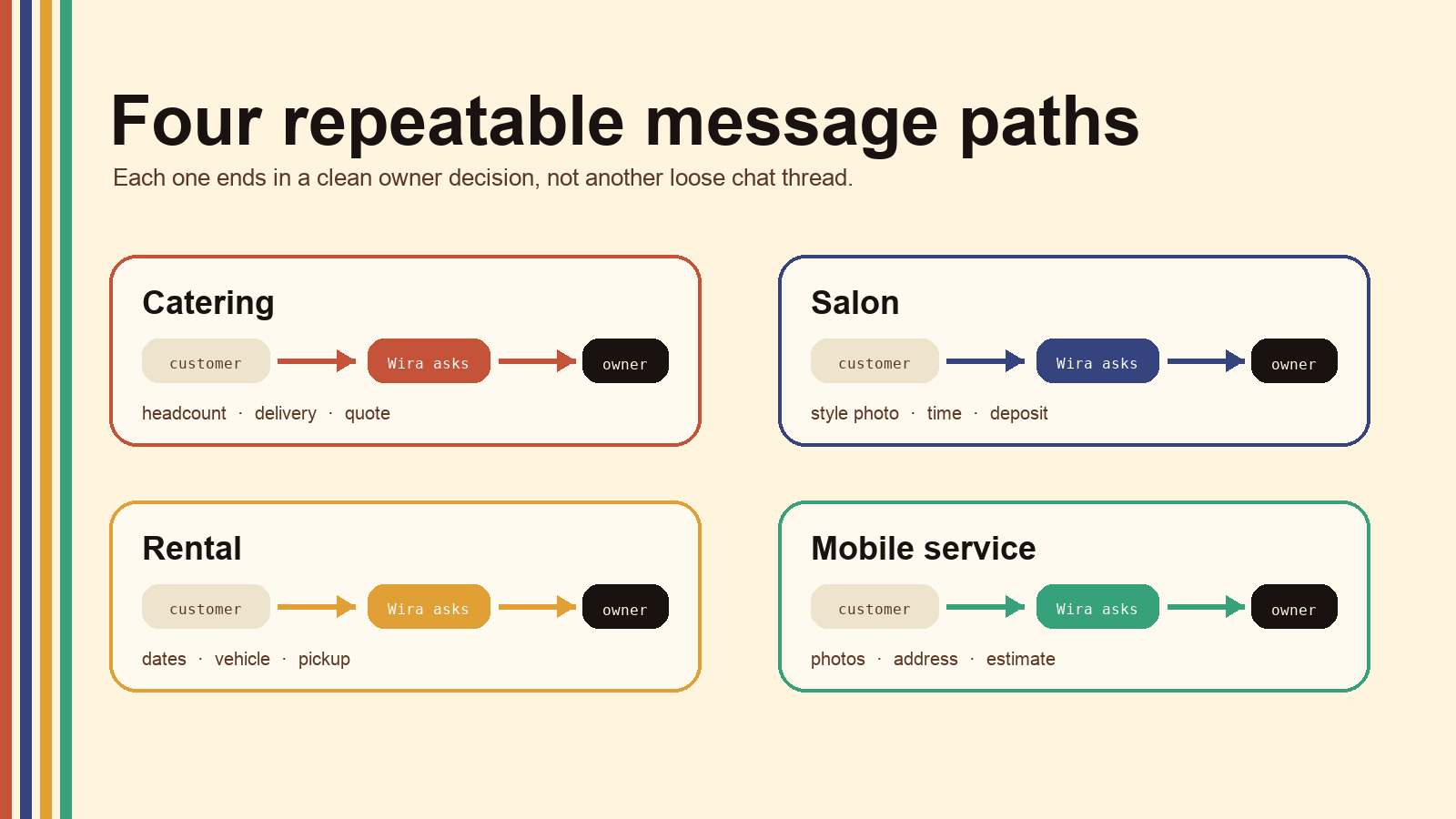
Wira use-case graphic for catering, salon, rental, and mobile service message flows
Four repeatable paths: customer asks, Wira collects, owner gets the decision.

Catering

Headcount, date, delivery, menu mix.

quote prep

Salon

Style photo, time window, deposit handoff.

booking prep

Rental

Dates, vehicle type, pickup, driver basics.

availability prep

Mobile service

Address, photos, urgency, estimate context.

lead packet
One thread

Ask in WhatsApp. Get the next move.

For personal control, Wira can live with your local machine. For customer-facing business, Wira starts narrow: answer, collect, draft, escalate, then expand only after real checks.

Owner command

Check, draft, summarize, prepare.

Customer intake

Reply, collect, qualify, hand off.

Business follow-up

Deposits, reminders, summaries, next actions.

Wira icon
Ask Nia what you want WhatsApp to control.

Home computer, customer replies, or the whole business intake path.

Start
Safe automation

Start narrow. Earn autonomy.

Wira starts with one repeatable workflow and a human-owned policy. It should not improvise refunds, promises, legal advice, medical advice, or payment decisions.

1. Map

What repeats? What details are missing?

2. Approve

Draft-first for new or risky messages.

3. Launch

One workflow first: quote, booking, rental, estimate.

4. Expand

Only after real questions look clean.

Pricing

Two setups. Two jobs.

Local is the owner-controlled tool for your machine. Business is the managed customer-facing WhatsApp setup with support, provider costs, monitoring, and launch checks.

Wira Local

Talk to your own machine from WhatsApp

$49 once

For a founder or owner who wants private help through an existing WhatsApp number.

  • Uses WhatsApp linked devices
  • Good for remote check-ins, private help, demos, and dogfood
  • Your runtime and local data stay under your control
  • If your machine is off, Wira is off

Bring your own LLM/provider cost if you choose a paid brain.

Wira Business

Hosted WhatsApp assistant for a real business number

$499 setup

Then $299/month. For customer-facing WhatsApp that needs uptime, rules, and tuning.

  • Payment confirmation starts the hosted resource path
  • Official WhatsApp Business Cloud API path when appropriate
  • Business context, reply map, prompt/memory tuning, and approval policy
  • Owner escalation, first-week tuning, and operating support
  • Meta template charges, Twilio if used, voice minutes, and heavy custom work stay explicit
Scope first

Provisioning begins after payment, but customer-facing automation still starts draft-first until launch checks pass.

FAQ

Plain answers.

Wira touches customer messages. The boundary matters.

Wira has two setups. Wira Local uses WhatsApp linked devices. Wira Business can use the official WhatsApp Business Cloud API path for a managed customer-facing setup. Each business setup is scoped and checked before it is treated as live.
The safer launch pattern is draft-first for new or risky conversations. Trusted routine flows can auto-send only after the owner approves the policy.
Do not use Wira to move money, enter card data, improvise legal or medical advice, promise refunds without policy, or negotiate sensitive edge cases without a human.

Make the next WhatsApp lead easier to close.

Buy the local owner tool, or ask Nia to scope the managed business-number setup.

Choose WiraTalk to Nia